What Is the Parent Plan?
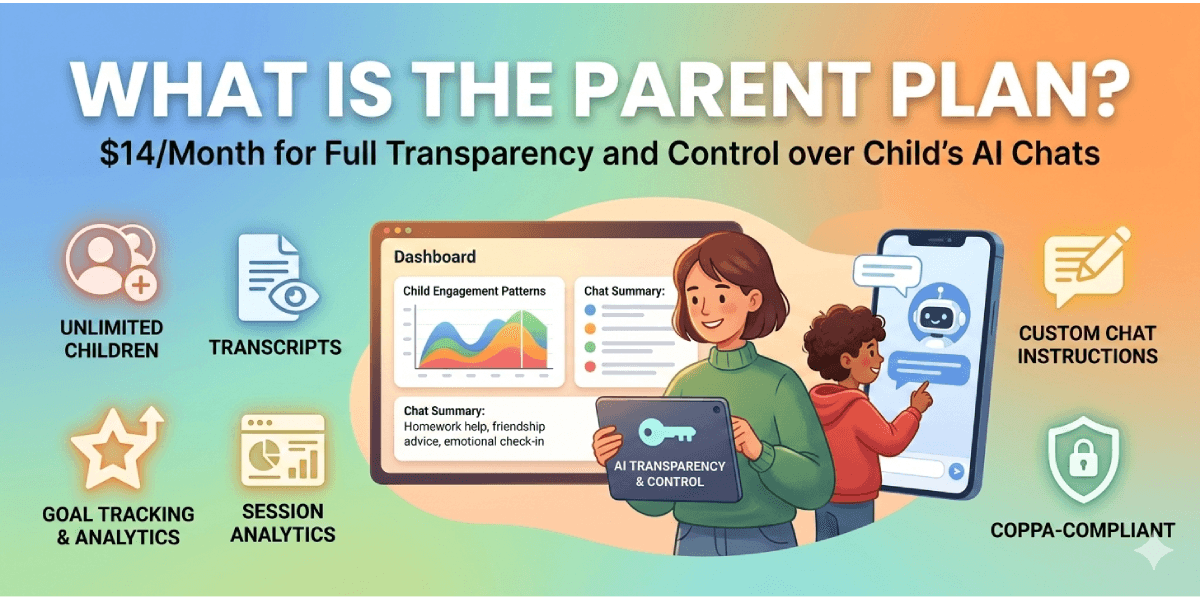
The Parent Plan ($14/month) gives parents full transparency and control over their child's AI conversations. It's designed to help you stay informed, set boundaries, and have better conversations with your kids about digital literacy.
Core Features
1. Add Unlimited Children
One subscription covers your entire family. Add siblings with a few clicks. Each child gets their own PIN and device setup.
2. View Full Chat Transcripts
See every message your child sent and every response from the AI. Search by date, topic, or keywords.
3. AI-Powered Session Summaries
Don't have time to read full transcripts? Our AI creates summaries highlighting:
- Main topics discussed
- Emotional themes (if your child is struggling)
- Key learning points
- Any concerning patterns
4. Goal Tracking & Analytics
Set learning or behavioral goals for your child:
- Examples: "Improve confidence in math," "Work on friendship skills," "Read more"
- See how often goals are mentioned in conversations
- Track progress percentage over time
- Get notifications when goals are achieved
5. Session Analytics Dashboard
Understand engagement patterns:
- How many sessions per week
- Average session length (trending data)
- Which chat types they use most
- Peak usage times
Use this to have informed conversations: "I noticed you've been using the homework help bot a lot lately—how's school going?"
6. Custom Chat Instructions
Tailor AI responses to your child's needs:
- "Keep responses short and simple—he gets overwhelmed with text"
- "Encourage her to think before giving answers—we want her to solve problems"
- "He has ADHD, so break things into smaller steps"
- "She's interested in environmental issues; connect learning to that"
The AI will follow these instructions in all conversations with your child.
7. Device Management
Register and manage which devices your child uses:
- See which devices are registered (family iPad, their phone)
- Revoke access from specific devices if needed
- Only allow access from trusted, supervised devices
- PIN-based access (unique 4-digit code per child)
8. COPPA-Compliant Encryption
All conversations are encrypted with AES-256. No third parties see your family's data. Full COPPA compliance.
How to Set Up the Parent Plan
Step 1: Sign Up
- Go to kidschatgpt.com/signup
- Create an account with your email and password
- You'll be taken to the checkout page
Step 2: Choose the Parent Plan
- Select "Parent Plan - $14/month"
- Click "Start Parent Plan"
- Complete Stripe payment (secure, industry-standard)
Step 3: Add Your First Child
- After payment, you're taken to your dashboard
- Click "+ Add Child"
- Enter a nickname (not their real name for privacy)
- Optional: Add background info (age, interests, learning goals)
- System generates a PIN code and shareable session link
Step 4: Your Child Sets Up Their Device
- Share the session link:
kidschatgpt.com/chat/[code] - They enter the 4-digit PIN you're given
- They choose their username for this session
- Device is now registered and authenticated
Step 5: You're Ready to Monitor
- Go back to your dashboard
- You can now see all their conversations
- Set goals, review summaries, check analytics
Using Parent Plan Effectively
Daily / Weekly Check-Ins
- Spend 5 minutes reviewing summaries
- Look for patterns or emerging issues
- Note progress toward goals
Monthly Deeper Dives
- Review analytics trends
- Check if engagement is healthy or concerning
- Adjust custom instructions if needed
- Update goals for the coming month
Conversations With Your Child
Use what you see to have better conversations:
- "I see you've been chatting about making friends. That's great! How's that going IRL?"
- "Your progress note says you solved a hard math problem. I'm proud of you!"
- "I noticed you haven't used the app in a few days. Everything okay?"
Not: "I've been spying on you." Better: "I'm interested in what you're learning."
Pricing & Billing
- Cost: $14/month per family
- Unlimited children: One subscription for all your kids
- Cancel anytime: No long-term contract
- Billing: Charged monthly to your Stripe account
Frequently Asked Questions
Will my child know I'm monitoring?
Yes. The system is designed with transparency. Your child knows you have access and can see conversations. This builds trust instead of hidden surveillance.
Can my child delete messages to hide things from me?
They can request deletion, but you get notified and can approve/deny. The purpose is to prevent hidden conversations while respecting their privacy concerns.
What if I find something concerning?
- Have a calm, open conversation first
- Ask what they meant; tone/context can get lost in text
- Seek professional help if needed (counselor, therapist)
- Contact us if you suspect a technical issue or AI problem
Can I track my child's location or phone use?
No. Parent Plan only monitors KidsChatGPT conversations. For broader device/location monitoring, use a separate parental control app (Bark, Qustodio, Google Family Link).
What if my child refuses to use the Parent Plan?
The free tier has no monitoring. That's a conversation between you and your child about trust and safety. Some families agree: "You can use the free version with no monitoring once you show responsible tech habits."
Upgrading from Free
If your child already has a free account:
- Sign up for Parent Plan with your email
- Add your child by their existing username
- You gain access to all previous conversations (encrypted)
- Going forward, you monitor all chats
Ready to Get Started?
$14/month for peace of mind and real insight into your child's digital learning.
Sign up today at kidschatgpt.com/signup.